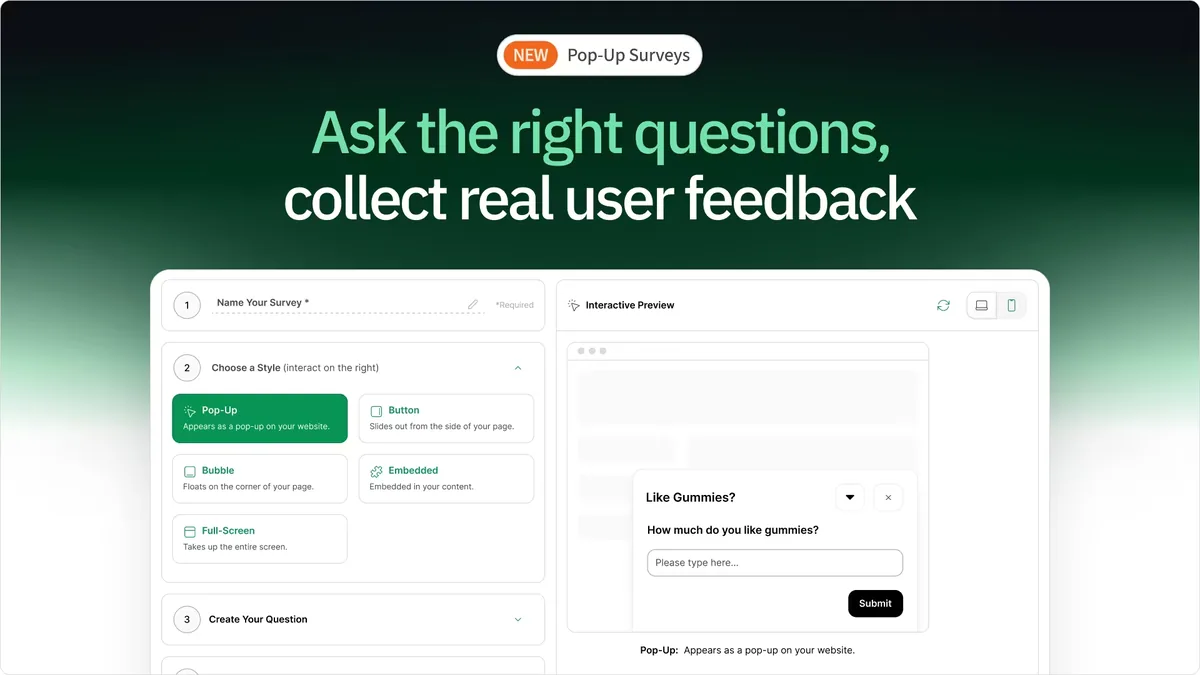
Pop-Up Surveys are short, in-the-moment questions shown directly on your website to capture feedback while shoppers are actively browsing.
Instead of waiting until after the session ends, you can:
- Ask questions in real time
- Capture immediate reactions
- Understand hesitation as it happens
They’re designed to be:
- Fast - one focused question
- Contextual - triggered by behavior or page
- Low friction - easy to answer
- High impact - insights at scale
See What Your Shoppers Are Thinking - Before They Leave
Most analytics tools show behavior.
Pop-Up Surveys reveal motivation.
They help you answer questions like:
- What almost stopped this purchase?
- What information felt missing?
- What created hesitation?
- What convinced someone to move forward?
Instead of guessing what’s wrong, you hear it directly from your shoppers.
Why Pop-Up Surveys Matter for Ecommerce
If you’re only looking at:
- Clicks
- Conversion rates
- Heatmaps
You’re missing a critical layer:
Intent.
Pop-Up Surveys bridge the gap between:
👉 What shoppers do
👉 Why they do it
And that’s where the most valuable insights live.
Real Examples of Pop-Up Surveys in Action
1. Identify Hidden Conversion Killers
Trigger: Exit intent on product page
Question: “What stopped you from purchasing today?”
Common responses:
- “Shipping is too expensive”
- “Not sure about sizing”
- “Delivery time unclear”
Action:
- Add shipping messaging near CTA
- Improve size guide visibility
- Clarify delivery expectations
2. Fix Messaging That Isn’t Landing
Trigger: After 10 seconds on landing page
Question: “What is this product supposed to do?”
Insight:
If shoppers can’t answer clearly → your messaging is broken.
Action:
- Rewrite headline
- Improve value proposition
- Simplify copy
3. Improve Product Page Clarity
Trigger: 50% scroll depth
Question: “Is anything missing from this page?”
Insight:
Shoppers will tell you exactly what they need.
Action:
- Add FAQs
- Improve product details
- Include comparison tables
4. Understand Buying Motivation
Trigger: Post-purchase
Question: “What made you choose us today?”
Insight:
Reveals real value props.
Action:
- Use responses in copy
- Strengthen positioning
- Improve ads and landing pages
Pop-Up Surveys vs Long-Form Surveys
Customer Feedback Surveys in Heatmap now include two formats:
🆕 Pop-Up Surveys (In-the-Moment Feedback)
Pop-Up Surveys appear directly on your site and capture feedback during the session.
Best for:
- Real-time reactions
- Identifying objections
- Page-level insights
- High-volume responses
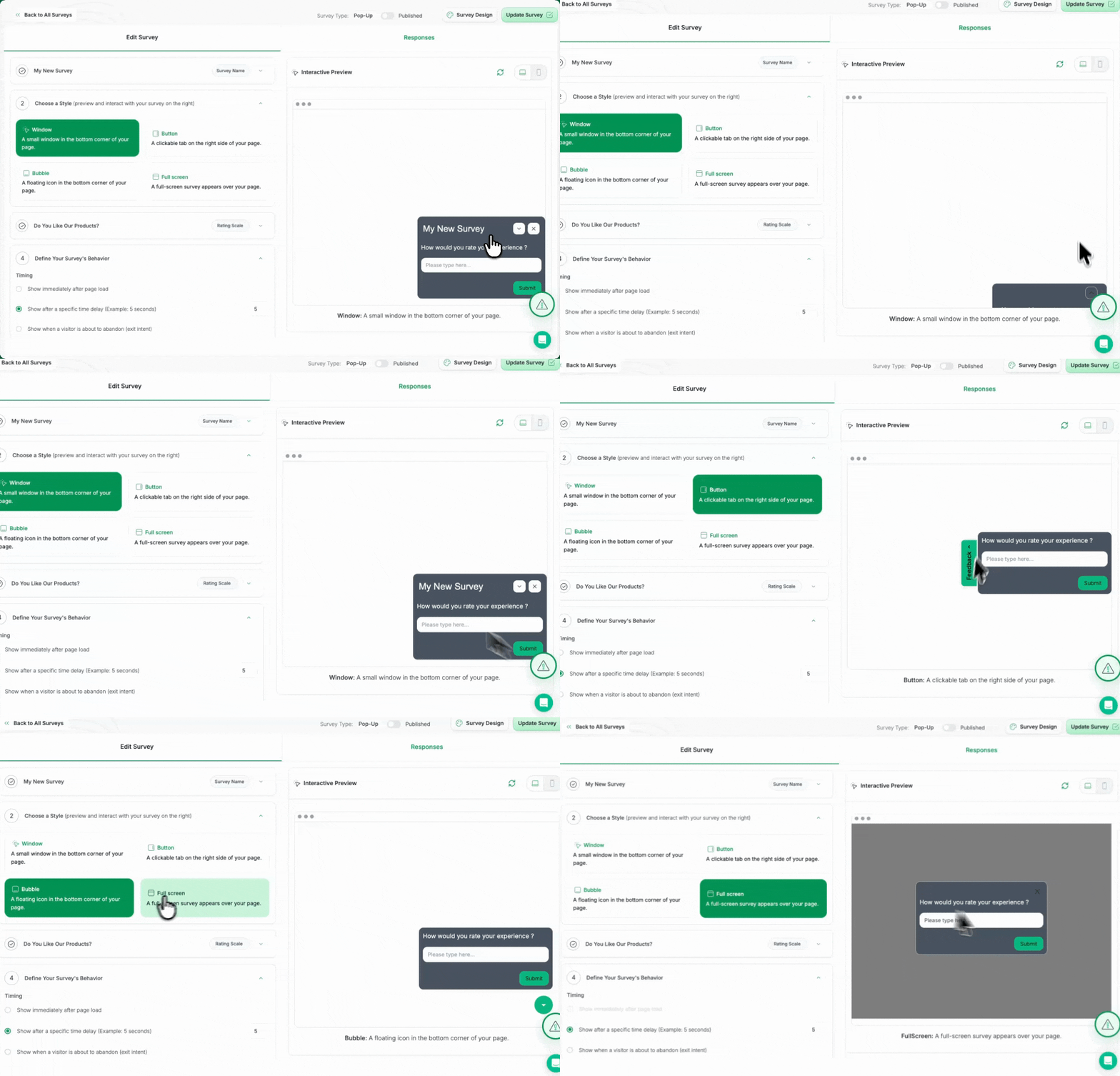
Long-Form Surveys (Deeper Insights)
Long-Form Surveys are shared via link and completed outside the browsing experience.
Best for:
- Post-purchase feedback
- Understanding decisions
- Multi-question surveys
- Deep qualitative insights
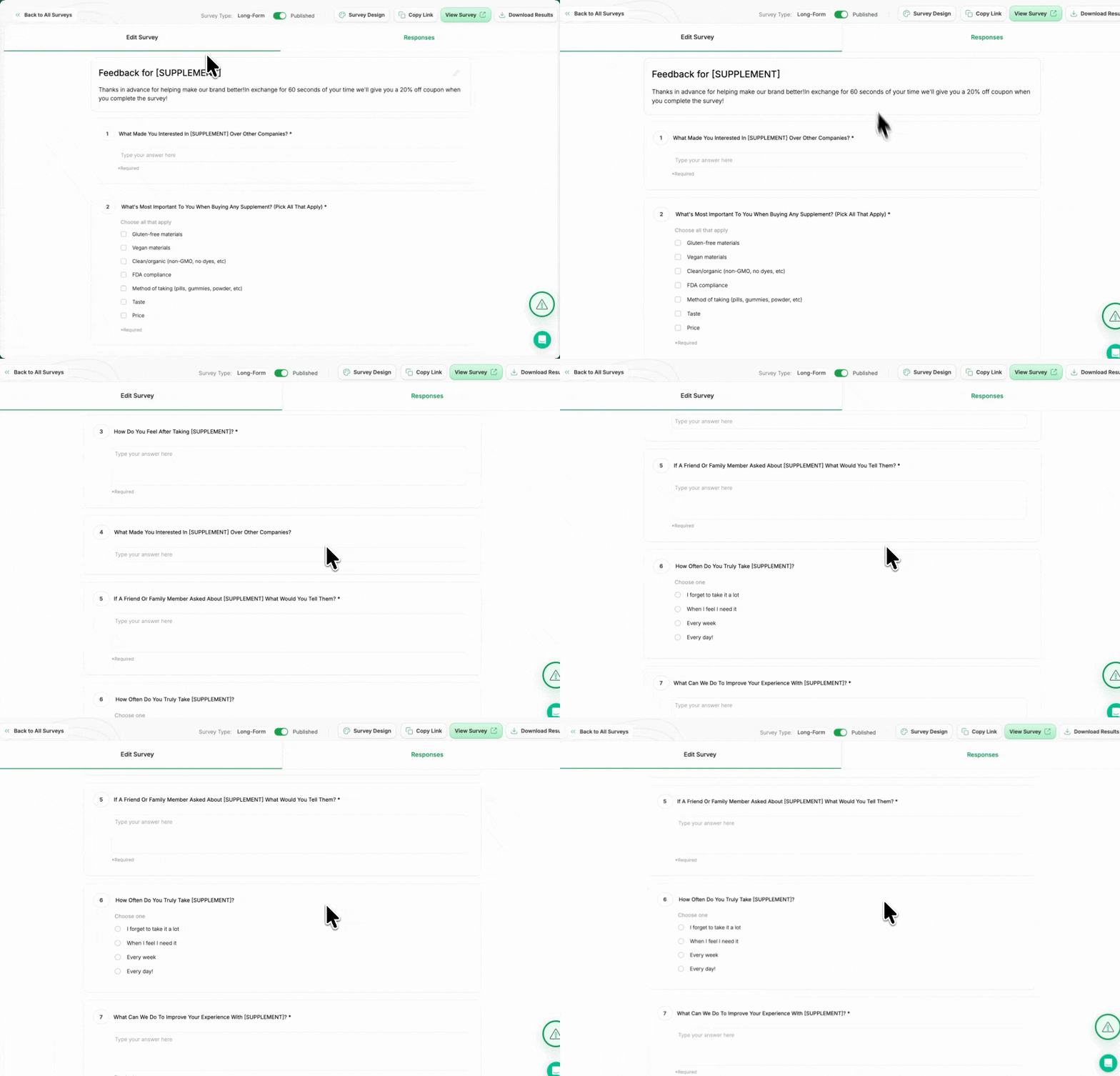
👉 Related: Mastering Customer Feedback Surveys: The Most Underrated Tool in CRO
👉 Related: Get Inside Your Customer’s Head with Heatmap Surveys
Let AI Turn Feedback Into Action
Collecting feedback is only half the equation.
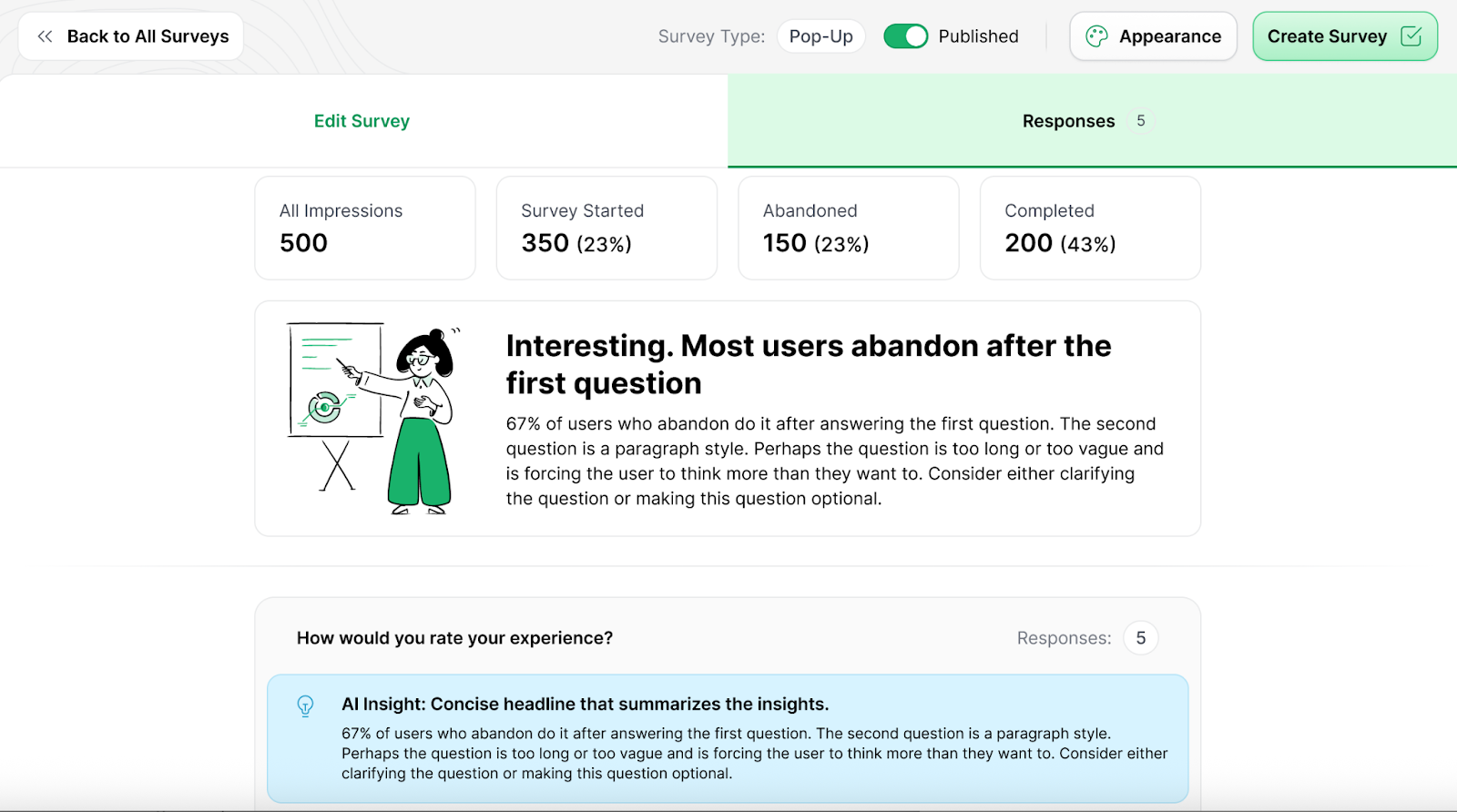
HeatmapAI automatically analyzes responses to surface:
- Common themes
- Patterns in objections
- Repeated friction points
- Clear recommendations
Instead of reading hundreds of responses manually, you get:
👉 Insights you can act on immediately
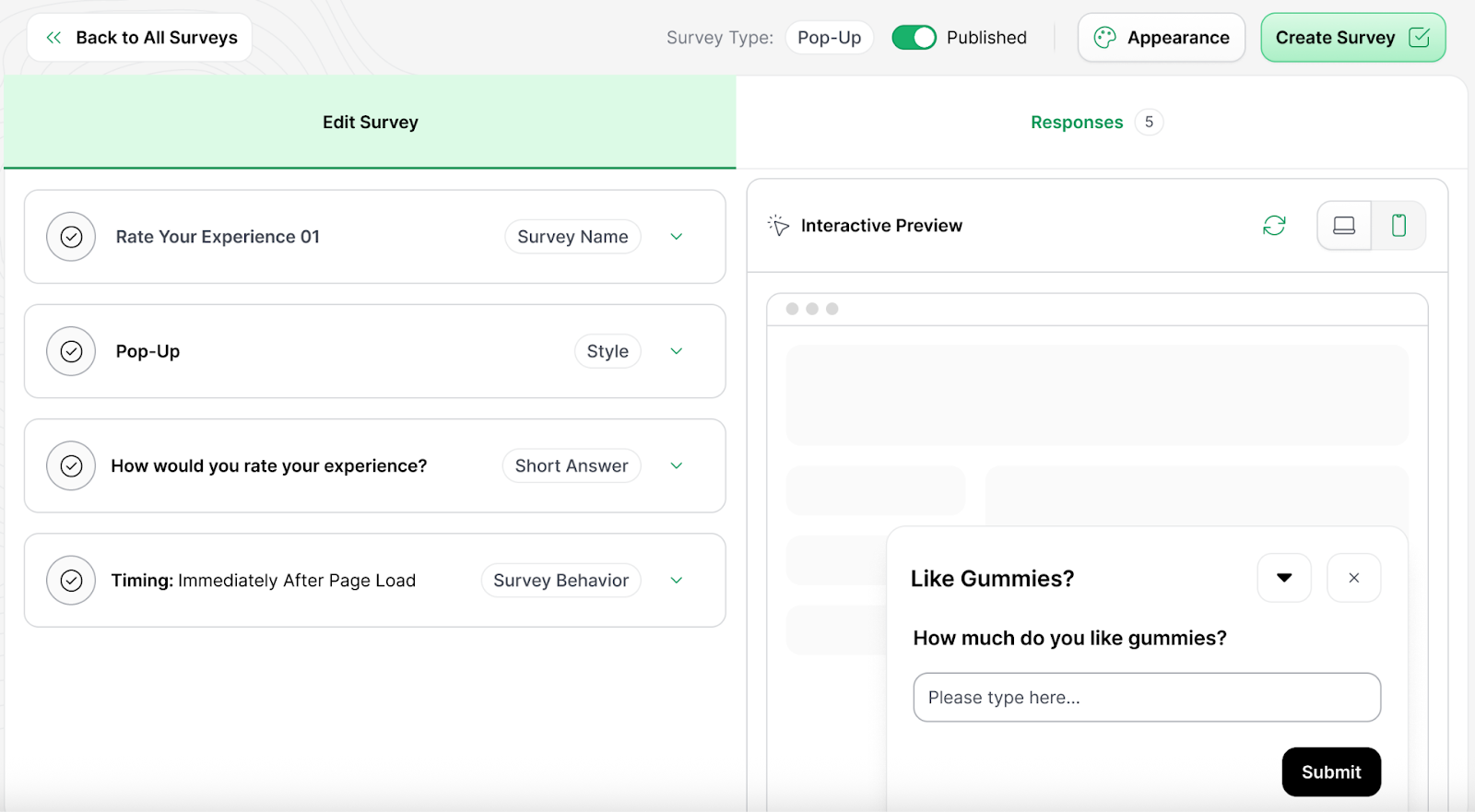
How to Use Pop-Up Surveys (Quick Setup)
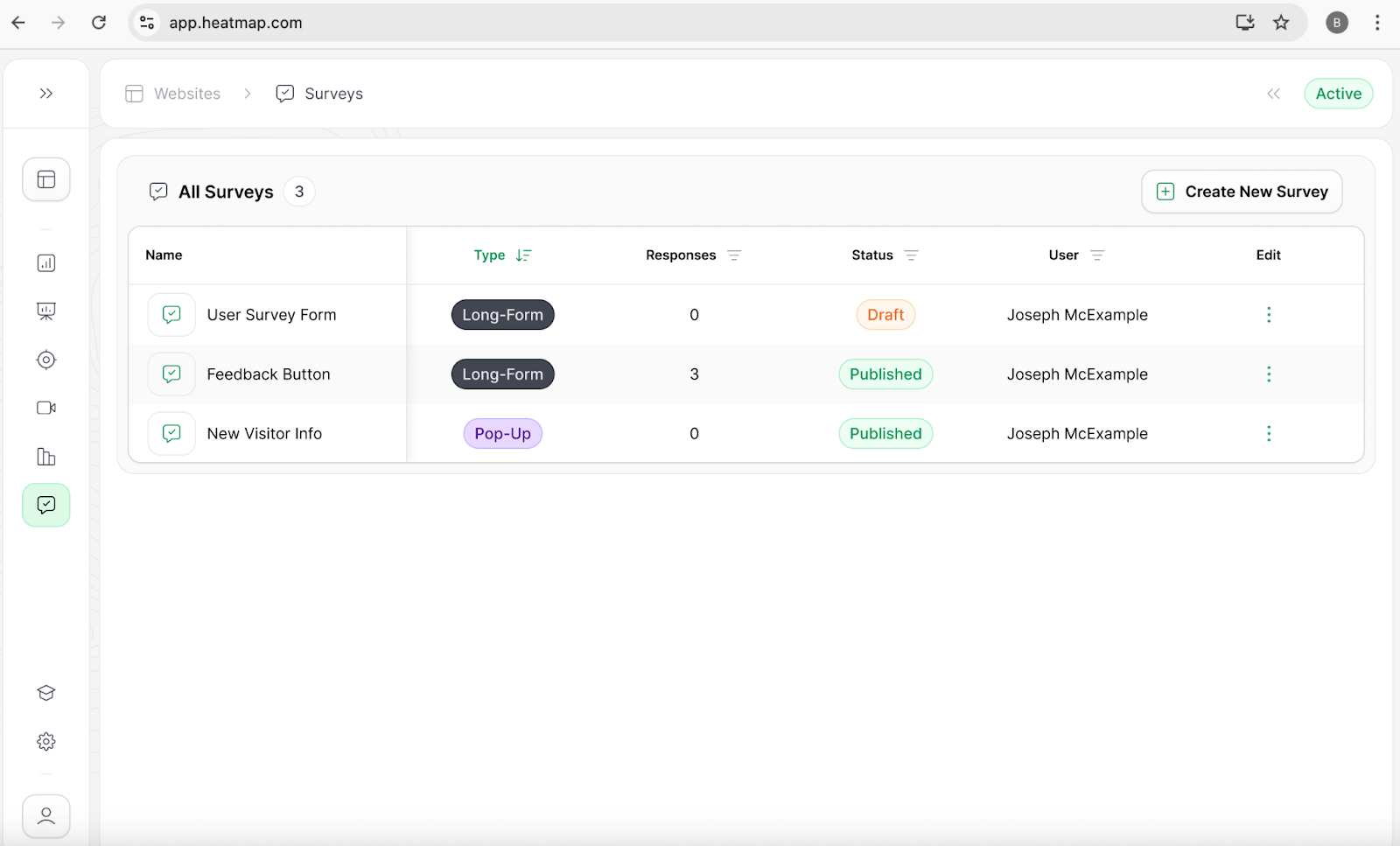
Getting started takes minutes:
- Go to Surveys in your dashboard
- Click Create New Survey
- Select Pop-Up Survey
- Choose your format (bubble, window, pop-up)
- Add your question
- Set your trigger (time delay, scroll %, exit intent)
- Publish
That’s it, responses start coming in almost immediately.
Best Practices for Pop-Up Surveys
1. Keep It Focused
Ask one clear question.
Bad:
“Why didn’t you convert?”
Better:
“What almost stopped you from purchasing today?”
2. Match Effort to Context
- Bubble → lightweight feedback
- Window → quick questions
- Full pop-up → high-intent moments
3. Choose Triggers Intentionally
- Time delay → first impressions
- Scroll % → engaged shoppers
- Exit intent → capture objections
4. Use “What” and “How” Questions
Avoid “Why”, it can feel confrontational and reduce responses.
What You’ll Learn From Pop-Up Surveys
With consistent use, you’ll quickly understand:
- What’s confusing shoppers
- What objections block conversion
- What messaging resonates
- Where friction exists in your funnel
This leads to:
- Better copy
- Stronger UX
- Higher conversion rates
- More confident decisions
The Bigger Shift
Pop-Up Surveys represent a shift in how ecommerce teams optimize:
From:
- Guessing based on behavior
- Interpreting incomplete data
To:
- Hearing directly from shoppers
- Making decisions with clarity
Final Thought
Your analytics tell you what happened.
Your customers tell you why.
And when you combine both, that’s when optimization gets powerful.
👉 Watch Pop-Up Surveys in action:

Carina MunroPublished April 17, 2026