If you optimize ecommerce sites - whether you're a CRO expert, marketer, or ecommerce brand owner—this update will change the way you work!
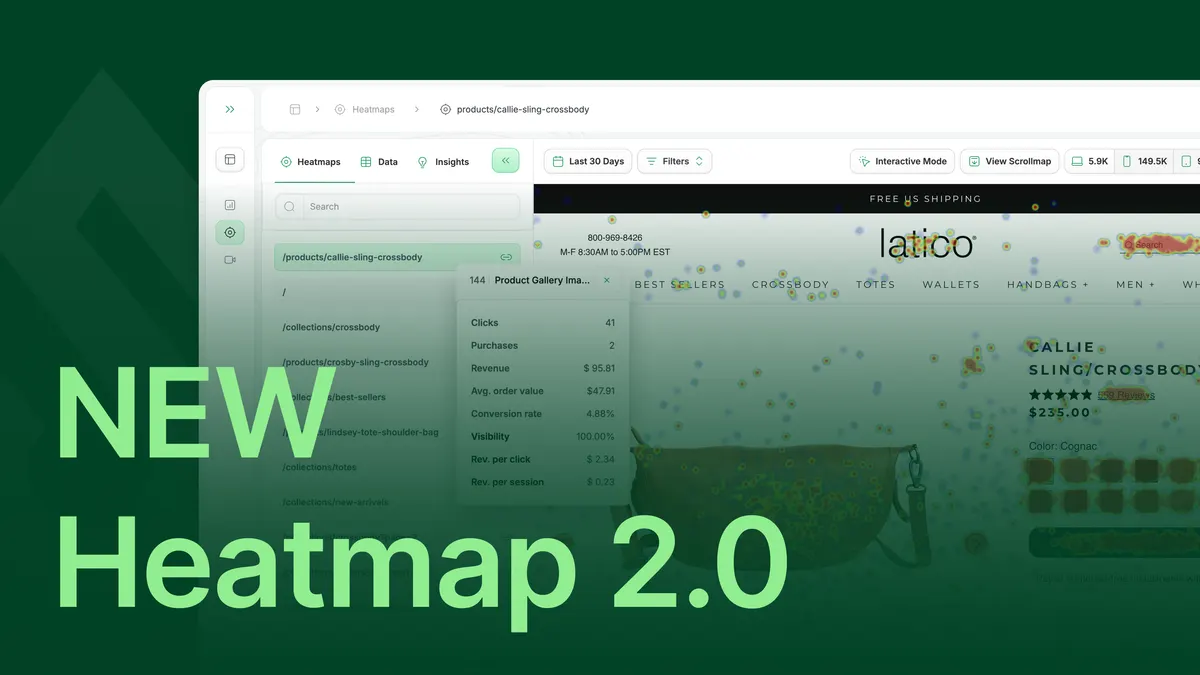
We just launched Heatmap 2.0—a full-scale overhaul designed to speed up your workflow, make analysis easier, and deliver real-time, revenue-driven insights like never before.
This isn’t just a UI refresh—it’s a fundamental transformation of how ecomm folks like you understand user behavior and optimize for more revenue.
What’s New in Heatmap 2.0?
✅ Brand-New UI—Modern, intuitive, and built for speed
✅ 75% Faster Load Times—From 48 seconds to 12 seconds
✅ New Onboarding—So easy, so intuitive
✅ Better Compatibility—Flawless tracking across complex ecommerce websites
✅ Fine-Tuned AI Recommendations—Actionable insights to increase revenue
These updates all point to one thing: a commitment to helping you work smarter, optimize faster, and increase revenue.
So far, people love it.

Let’s dive deeper into how.
We Fixed the Biggest Problem: Loading Speed
We heard your complaints loud and clear:
“Heatmaps take too long to load.”
“It slows me down when I need real-time insights.”
Some users waited 48 seconds for heatmaps to load. That’s practically an eternity when you’re trying to optimize your PDPs, fix a drop-off point, or tweak a landing page.
So we refactored 90% of our codebase in just three months. Now, heatmaps load in 12 seconds or less—a 4X speed boost that makes analyzing user behavior instantaneous.
What does this mean for you?
- Spot conversion leaks in real time and fix them faster.
- Test product pages, checkout flows, and landing pages without delay.
- No more waiting—heatmap data is ready when you need it most.
🚀 Speed = More Optimizations = Higher Conversions.
A UI That Actually Makes Analysis Easy
Another common complaint?
"Your UI looks like something from 2012.”
It worked, but it was unpolished. The aesthetics detracted from the user experience. And if something isn’t nice to look at, you won’t use it as much—meaning lost opportunities for optimization.
So we scrapped the old interface and rebuilt something intuitive, clean, and easy to navigate.
Just look at this glow-up:
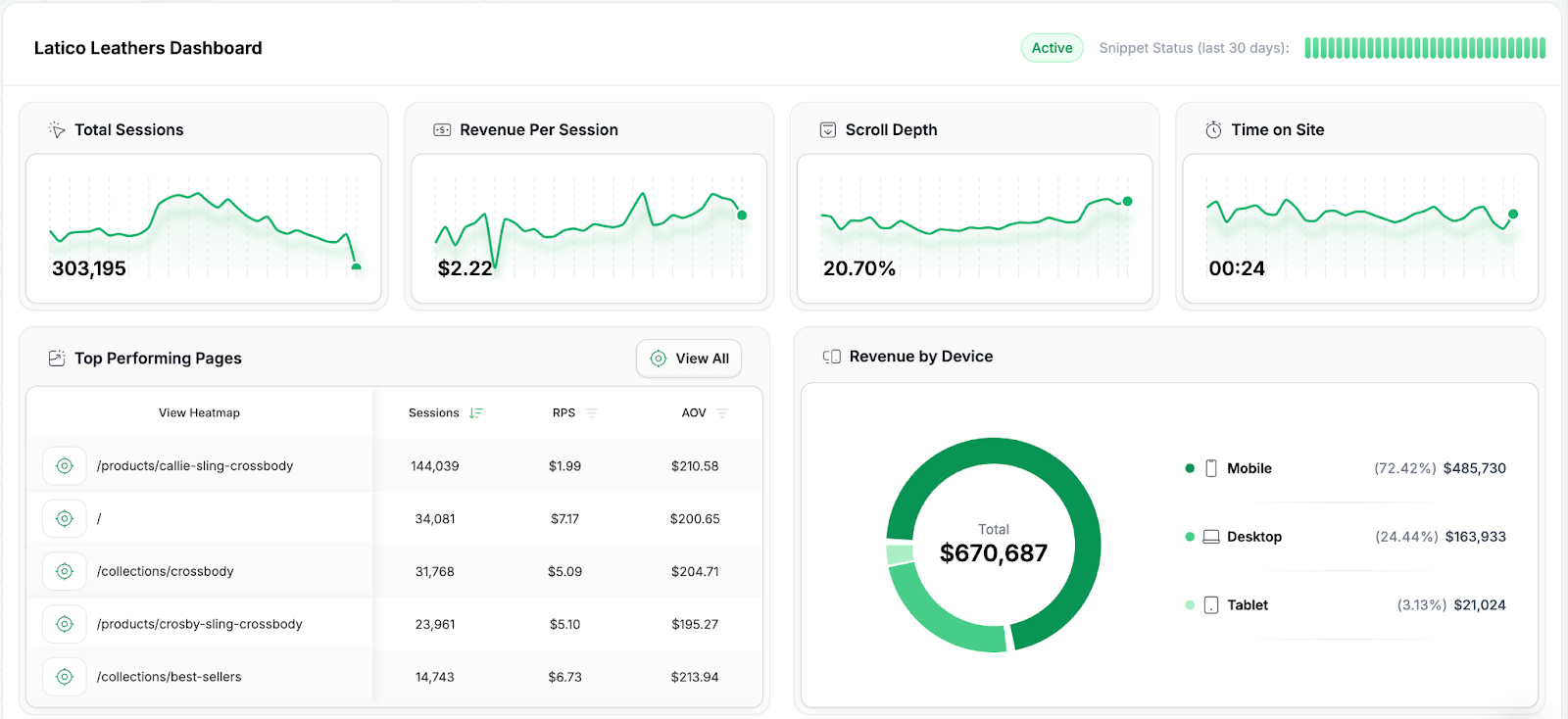
What does this mean for you?
- Find revenue-draining UX issues without digging through cluttered reports.
- Faster navigation means more insights in less time.
- The dashboard now feels like a power tool, not a relic.
If you optimize sites for a living, you’ll now spend less time fighting the tool and more time fixing conversion problems.
Onboarding That Actually Helps You Optimize Faster
Old Heatmap onboarding? A mess.
✅ Enter your credit card
✅ Install a few tracking snippets
❌ Watch a couple of videos
❌ Wait for data to populate
That sucked.
We fixed it:
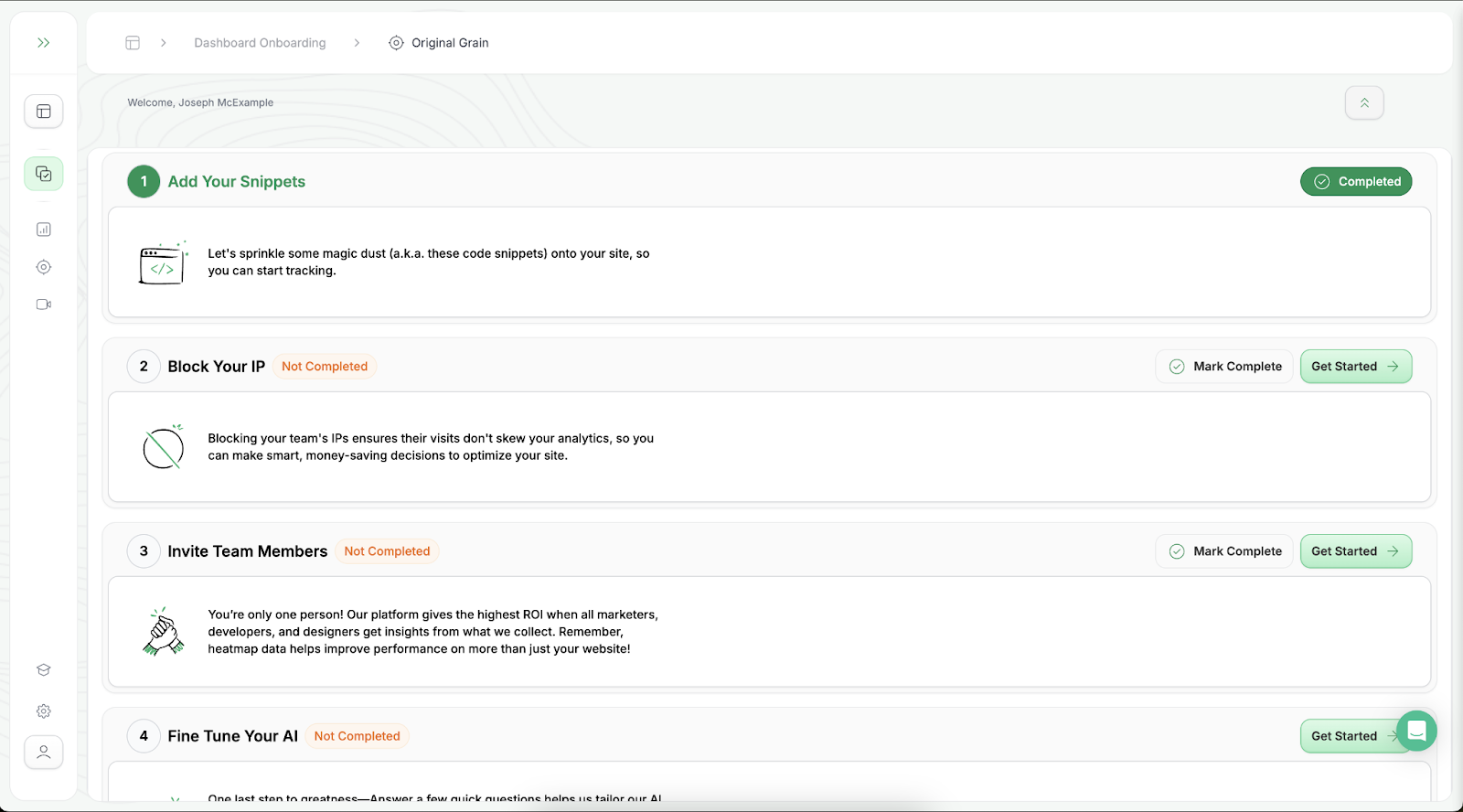
The new, ultra-slick onboarding includes:
✅ One-click setup
✅ Instant confirmation that installation works
✅ Auto-blocking of your own IP for cleaner data
✅ Fine-tune AI recommendations from Day 1
…that gets you optimizing immediately.
What does this mean for you?
- No more confusion—setup is frictionless and self-explanatory.
- Agencies can onboard multiple brands fast without errors.
- Brands can take action in minutes, not hours.
🚀 The faster you get set up, the faster you get insights, and the faster you start making money.
AI That Doesn’t Just Track—It Tells You What to Fix 💰
We’ve all seen tools that track clicks.
Clickmaps are… nice. But tracking clicks alone doesn’t make your site convert better.
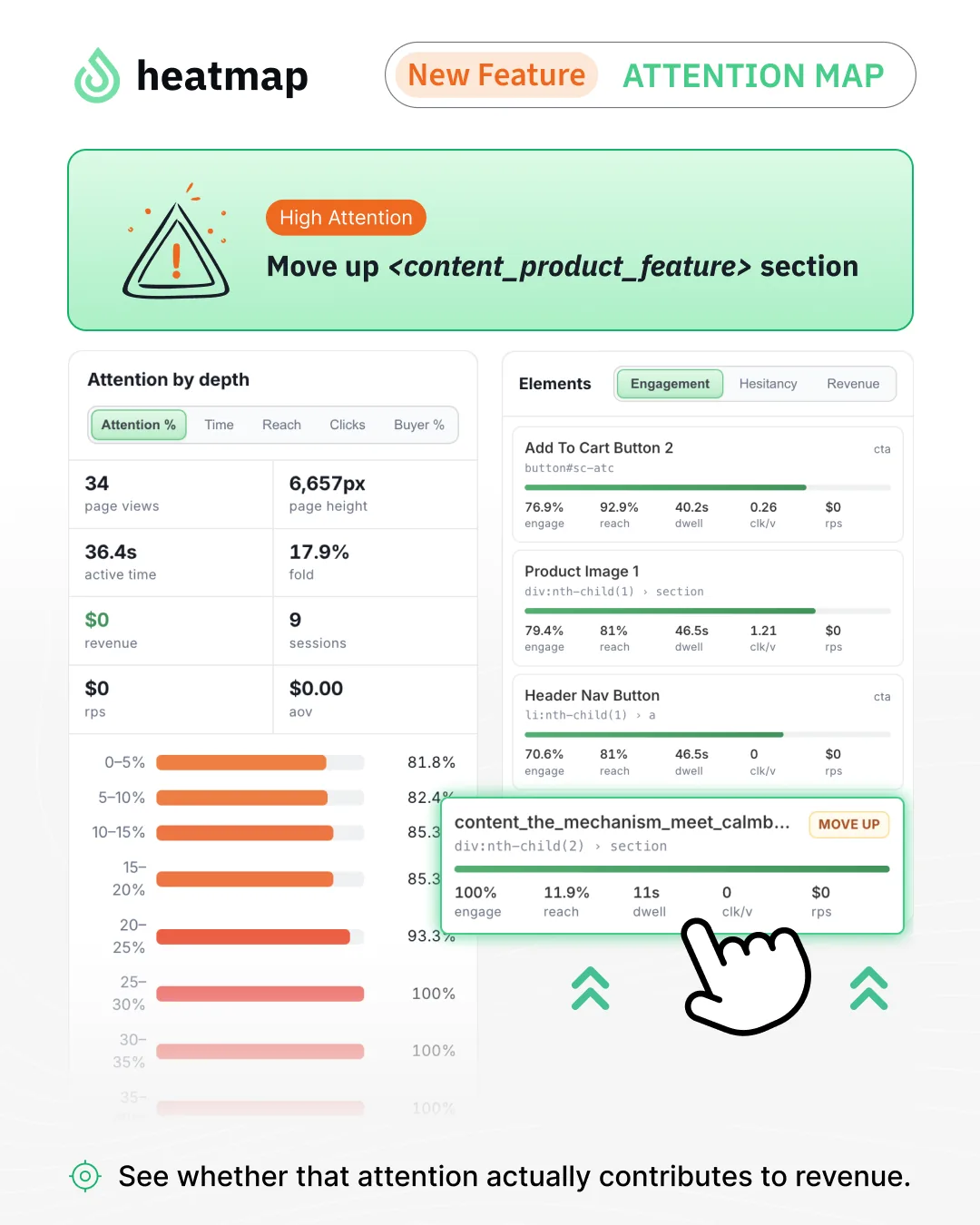
HeatmapAI changes that. It’s not just data—it’s a revenue-boosting recommendation engine.
💡 What does HeatmapAI do?
✅ Pinpoints underperforming navigation items that confuse shoppers
✅ Identifies which images drive vs. prevent sales
✅ Flags low-impact FAQ questions that aren’t helping conversions
✅ Highlights high-revenue click patterns so you can double down
Instantly, on your highest-value pages every week. Here’s an example of HeatmapAI in action:
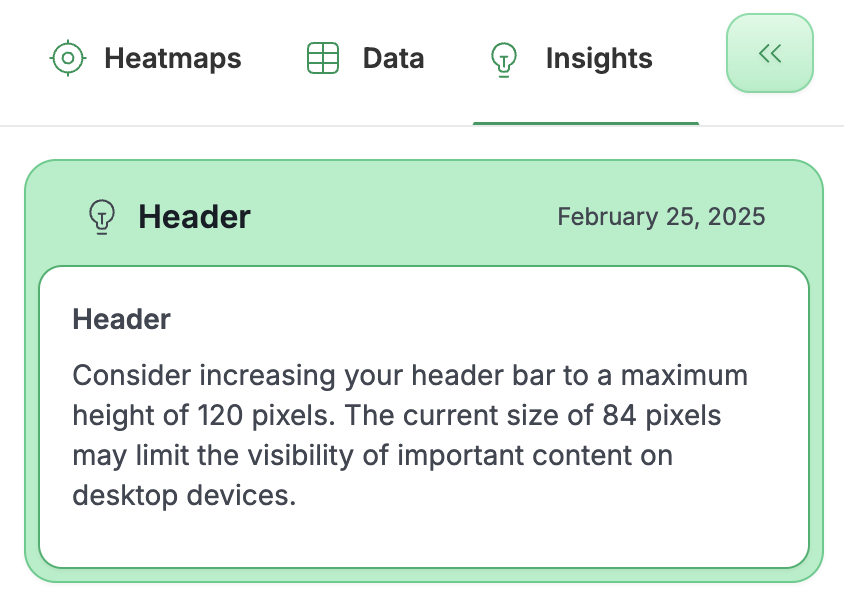
What does this mean for you?
- You don’t have to guess what’s hurting conversions—HeatmapAI tells you.
- Optimize collections pages, product pages, and checkout without hours of manual digging.
- Faster testing, better decision-making, and more revenue per session.
Tracking That Works Instantly, No Debugging Required
The old Heatmap had occasional issues with screenshots not displaying properly on some websites. This was particularly true for large, complex websites (looking at you, headless Shopify builds).
Not anymore.
We now track near-perfect, revenue-based heatmaps for 95% of ecommerce websites—out-of-the-box, no debugging required.
What does this mean for you?
- If you run an ecommerce store, work in CRO, or manage multiple brands, this is plug-and-play.
- No more wasting hours troubleshooting tracking errors.
- You get clean, accurate insights from the second you install it.
Less setup, more data, better decisions.
What’s Next? March = Feature Drop Season 🛠️
We’re not stopping here.
March is shipping szn—and we’ve got game-changing features rolling out soon.
🔥 If you’ve tried Heatmap before and bounced, give it another shot.
🔥 If you’re already a customer, welcome to a whole new experience.
🔗 Sign up today for a free trial and see the magic for yourself.
See you there.

Allen FinnPublished February 25, 2025